
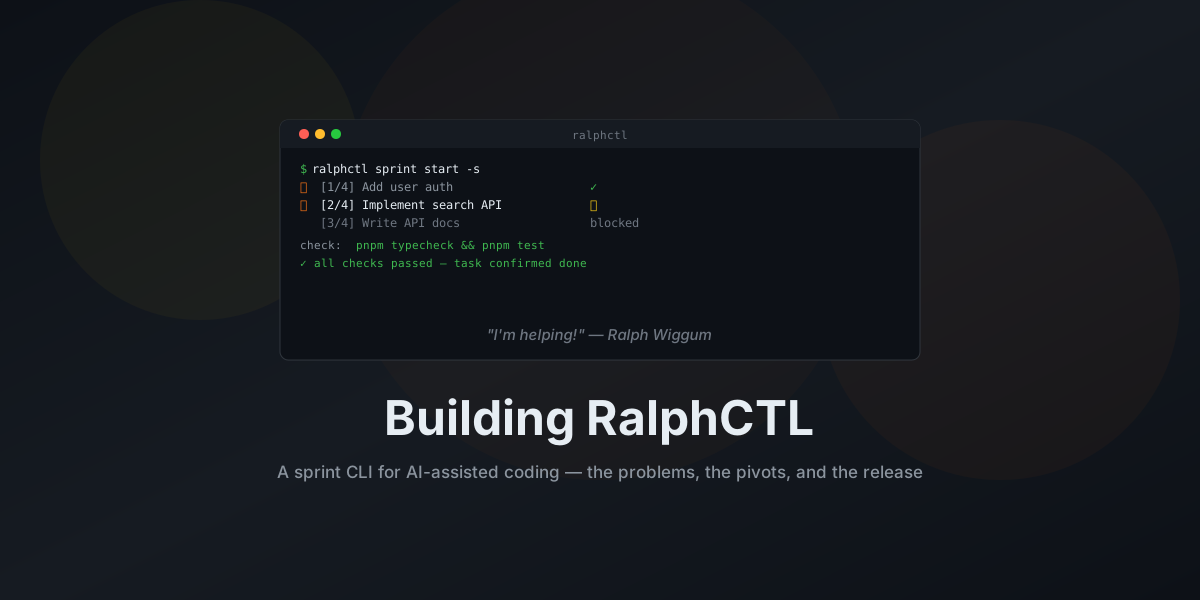
The problem
Claude Code changed how I write software. It's a different relationship with a codebase when you can describe what you want and most of the time it happens. I'm faster. The code is better. I'm actually enjoying side projects again instead of dreading the context-switching cost of coming back to them after a week away.
But I had a coordination problem and it was driving me insane.
My task system and my Claude sessions had nothing to do with each other. I'd copy-paste a description, wait for the agent to finish, mark it done somewhere else. Nothing tracked dependencies. Nothing knew what was blocked. Three tickets across two repos and I was the one holding all of it in my head.
The worst part: I kept catching this at the worst possible moment. Not during planning, where it's cheap to fix. Mid-execution, three hours deep, two repos modified, when I'd realize the plan was wrong from the start.
So I built something.
Why Ralph Wiggum
The name is not random.
Ralph Wiggum is Chief Wiggum's son in The Simpsons. He's been a supporting character since season one, Springfield's most lovably confused kid, famous for non-sequiturs that somehow land: "My cat's breath smells like cat food." "I bent my Wookiee." He shows up, says the thing, means it completely. No irony, no awareness of what's actually going on. Just genuine, sincere participation in something he doesn't quite understand.
The README quote is: "I'm helping!"
That's the AI coding agent in one line. It arrives at your repo, runs through its context window, produces its output, and from its perspective it helped. Whether it actually helped, whether the code compiles, whether it solved the right problem, is a different question. The agent doesn't know. The agent never knows.
Ralph doesn't realize he's not getting it right. Neither does the agent. The harness is what checks.
The "Ralph" framing for AI agents didn't originate with me. Geoffrey Huntley coined the "Ralph Wiggum technique" to describe iterative AI development loops: feed a prompt to an agent, observe the result, refine, repeat.1 His core insight is that agent failures are deterministic and tunable. You don't fix the agent; you fix the prompt and the guardrails around it. Huntley's technique is deliberately minimal, a single agent in a while loop, anti-orchestration by design. RalphCTL goes in a different direction: it's a multi-agent orchestrator with sprint structure, tickets, dependencies, verification gates. The agent is Ralph. The harness checks its homework.
Why a CLI
I could've built a web app for this, or wired it into an existing project management tool. But I wanted something I could run from a terminal and not think about otherwise. No database, no server, nothing to keep running in the background while I'm trying to focus on something else.
State lives in ~/.ralphctl/ as JSON files. You can read them, inspect them, edit them with a text
editor if something breaks. The CLI maps commands to the actual workflow: create a sprint, add
tickets, refine, plan, execute.
Two-phase planning
Here's a failure I ran into repeatedly before I figured out the fix.
I was skipping things. Not because they didn't matter, but because I'd look at the code, see the mess, and immediately start pre-judging what was possible. Scope would shrink in my head before I'd even written down what I actually wanted. I'd start a feature, realize halfway through I hadn't thought it through, and either push through with a half-baked version or abandon it. The fear of touching a running system without a plan was real. Just diving in, figuring it out as you go, hoping the path becomes obvious once you're in the code. It rarely does.
Clarifying what to build and planning how to build it are two different mental activities. If you collapse them into one session, you get a rushed version of both. Worse, you get distracted by the code. You start thinking about implementation before you've figured out what you're implementing.
sprint refine handles the first phase. One AI session per ticket, focused only on requirements. No
code, no implementation decisions. Just: what does this ticket actually mean? What's in scope?
What's the acceptance criteria? You review and approve before anything else runs.
The value here isn't just clarity. Having an AI assistant help you sharpen your idea and record it as a structured, reusable artifact is genuinely useful on its own. You brain-dump everything, more or less structured, and the session turns it into something an LLM can work with later. You're not looking at code, you're not getting frustrated by existing mess, you're just writing down what you want. That separation matters more than I expected.
Then sprint plan takes all the approved requirements, figures out which repos are touched, and
generates tasks with explicit dependencies. Topologically sorted. You approve before anything runs.
The tasks come out cleaner and I spend less time fixing them after. I run Claude Opus 4.6 for both phases. The difference is that each session gets one focused question instead of being asked to figure out the requirements and the implementation plan simultaneously. Separate them and both get done properly.
There's also sprint ideate, which combines refine and plan into a single session for when you
trust the agent enough to skip the ceremony. I use it for small, well-understood tickets where the
two-phase split would be overhead. But for anything ambiguous, I still split them.
Birgitta Bockeler wrote on Martin Fowler's site about spec-driven development tools and found that reviewing extensive markdown specs was "very verbose and tedious," that she'd "rather review code than all these markdown files."2 Fair point. That's why ralphctl's refinement output is deliberately short. A ticket's requirements are one focused document, not a novel. Just enough structure to prevent the plan phase from guessing.
Anthropic's own research on long-running agents describes the exact same split: an initializer agent that handles requirements and environment, a coding agent that handles only implementation.3 They got there from a different direction. Same conclusion.
Headless and interactive execution
This is the part that took the longest to get right.
Claude Code has two modes. Interactive mode opens a full terminal session where you watch the agent
work, intervene if needed, see what it's doing as it does it. Headless mode runs non-interactively
via --print, completes, and exits. Pass --output-format json and you get structured output
including a session ID for resuming later.
When I start a new project, or when the AI setup is still rough, I use interactive mode. The -s
flag in sprint start -s opens a session where I can step through things, correct course, see what
the agent is reading and whether the prompts make sense. That's the calibration phase. I'm building
confidence that the task descriptions, the check scripts, and the project structure give the agent
enough to work with.
Once things stabilize, once I've seen enough tasks complete cleanly, I switch to headless. Let Claude do the work unattended. I review when it's done.
Running Opus 4.6 headlessly is a specific experience. It's thorough. It explores the codebase, reads files you didn't mention, traces dependencies you didn't know it would care about. In interactive mode you'd see this and redirect it if it wanders somewhere you didn't intend. Headlessly you find out when it exits. If the task description has gaps, Opus fills them in on its own, sometimes correctly, sometimes in a direction you wouldn't have chosen. It will follow a long path to a confident conclusion rather than bail early. Which is great until it isn't.
This is why the refine phase has to produce something airtight. By the time a task hits the executor, there shouldn't be anything left to interpret.
There's also the resume path, which matters more than you'd think. Rate limits happen, especially on Opus during busy periods. When a session gets interrupted, Claude Code can continue using the session ID from the previous run. Ralphctl persists that ID per task and handles resume automatically.
Copilot's CLI handles session persistence differently, which is part of why both providers need separate implementations behind the abstraction. More on that in the Copilot section below.
The verification problem
An AI agent "completing" a task means it stopped running. That's it.
I shipped broken code twice before I built the check script mechanism. Not obviously broken. Broke in context, in integration with the rest of the system, in ways that weren't apparent from the modified files alone. The agent had done something technically correct in isolation. I had merged it without enough skepticism because "the task ran successfully" felt like validation. It wasn't.
Bockeler noticed something similar. She "frequently saw the agent ultimately not follow all the instructions" even when they were right there in context.2 Which makes sense. If the agent doesn't reliably follow specs, the spec isn't actually controlling anything. The check script exists because I stopped trusting what the agent says it did. It runs the tests.
checkScript is the fix. A command configured per repo that runs before and after every task.
pnpm typecheck && pnpm lint && pnpm test for a TypeScript project. The task doesn't get marked
done unless that passes.
First version had setupScript and verifyScript as separate concepts. Seemed logical at the time.
It was too much configuration to maintain and people (including me) would skip filling them in
properly, which defeated the purpose entirely. Collapsed into one script that runs twice: once to
verify the environment before the sprint starts, once to gate completion after each task.
The auto-detection heuristic also got redesigned. The first version looked at package.json and
Makefiles, guessed a command, and ran it silently. Wrong call. I caught it before it caused damage,
but only barely. The final version surfaces suggestions that you edit before anything executes.
A real-world caveat: multi-repo dependency resolution
If your sprint spans multiple repos that depend on each other, the checkScript story gets more complicated. The upstream project has to publish its artifact somewhere the downstream build can find it, or verification breaks on an unresolvable dependency. It's the kind of thing you don't notice in a single-repo setup and then hit face-first in multi-repo sprints.
Here's what actually happens: the agent works on repo B first, changes something, builds it. But if that build doesn't publish repo B's artifacts to your local repository with the correct version, repo A has no way to resolve the dependency when its turn comes. The checkScript fails on a missing dependency that has nothing to do with code quality. Whatever build tooling you're using needs to handle this: after building a project, its artifacts have to be available locally for anything downstream, or the whole chain falls apart. This isn't necessarily what your CI does — depending on your project setup, local artifact publishing might be something you configure specifically for the dev loop and leave out of the pipeline entirely.
Proper AI setup matters here too. Your CLAUDE.md, project structure, and dependency relationships have to be clear enough that the agent doesn't try to build things in the wrong order.
Progress tracking
Every sprint has a progress.md file. It's append-only. Each task, when it completes, logs what
changed, what patterns were discovered, and notes for whatever runs next.
~/.ralphctl/sprints/<sprint-id>/progress.md
This does two things. First, it gives the AI context about previous work. When the next task starts, ralphctl extracts the recent learnings and feeds them into the task context file. The agent knows what the previous agent found, what gotchas it hit, what state it left behind. Without this, every task starts from zero and rediscovers the same problems.
Second, and this is the part I didn't expect to care about as much as I do: it's a history log. When verification passes, the agent commits its changes with a descriptive message, then appends the progress entry. I can go back to any sprint's progress file and reconstruct what happened, in what order, and why. It's not a replacement for git log, but it captures intent and context that commit messages don't.
The baseline feature is useful too. When a sprint activates, ralphctl records the current git commit
hash for every project. That gives you a clean git log baseline..HEAD style review at the end.
Multi-repo execution
A sprint can span multiple repos. A ticket touching frontend and backend gets tasks assigned to
each. Ralphctl runs them concurrently, one agent per repo, with rate limiting and session resume if
something gets interrupted.
Branch management is part of this: sprint start asks once for a branch name, persists it, and
verifies you're on the right branch before each task fires. When a sprint closes,
sprint close --create-pr can push and open PRs for each affected repo via gh, with the sprint
name as the PR title. If gh isn't available, it prints the manual commands.
The branch check saved me from myself. Without it, the agent commits to whatever branch happens to be checked out. I had this happen twice, once to main, once to a completely unrelated feature branch, before I added the verification. Now it aborts before the agent starts if something is wrong. I should have built this first.
GitHub Copilot parity
Claude Code is the primary path. It's what I use, it's what the tool is optimized for. But GitHub Copilot's CLI is a real option for people in that ecosystem, and I didn't want to build something that only worked for one tool.
The interfaces differ more than I expected. Claude Code's --output-format json gives you
structured output with session IDs on stdout. Copilot's --share flag writes the session reference
to a file. Rate limiting behavior differs. Completion signaling differs. What looks like "just
abstraction" turns out to be a real amount of implementation work per provider.
The provider interface covers it: launch, capture session ID, detect rate limits, resume. Claude Code is the well-tested path. Copilot is labeled experimental in the README, works but has rough edges, and the tool tells you when you're using it.
What I used to build it
Most of the feature work happened via ralphctl running Claude Opus 4.6 headlessly against the
ralphctl repo itself. Tickets refined in one session, tasks planned and executed in the next,
checkScript running pnpm typecheck && pnpm vitest after each one.
The bootstrap problem, using a broken task executor to fix the task executor, was exactly as unpleasant as it sounds. I broke the executor, tried to use ralphctl to fix it, watched it fail in a new way, and eventually spent two hours doing things manually before giving up and dropping into a raw Claude session to get back to a working state. That was humbling.
One detour worth mentioning: I initially had a tsup build step, TypeScript compiled into a dist
folder. Worked inside the repo, broke the moment I invoked it from somewhere else. Hard-coded path
assumptions in the compiled output that I hadn't noticed until they failed in a different working
directory. I spent more time debugging this than I want to admit. The fix was a bash wrapper in
bin/ralphctl that resolves the repo root at invocation time and hands off to tsx. TypeScript
runs directly, no compilation, no dist folder, no path logic to get wrong. Startup is slightly
slower. For a CLI that spends most of its time waiting on Opus to finish thinking, it doesn't
matter.
Stack is TypeScript, no compiled output, Node.js 24, pnpm, Vitest. Data model in Zod, exported as JSON schemas. No framework, no ORM, no database. Just structured files and a state machine.
What's next
Right now every phase runs the same model. Refine and plan genuinely need Opus-level reasoning, but execution? Most implementation tasks would be fine on Sonnet. A per-phase model selector would cut costs without losing quality where it matters. That's probably the next thing I build.
The bigger unlock is git worktree isolation. Multiple tasks targeting the same repo currently queue up and wait. If each task got its own worktree, they could run in parallel. For a sprint with eight tasks across two repos, that's the difference between an hour and an afternoon.
There's already a ralphctl doctor command that checks your setup before you start: git state,
provider availability, project configs. It exists because I burned an Opus session on a
misconfigured repo and decided that should only happen once.
On the integration side, tools like OpenClaw handle higher-level agent orchestration. Ralphctl could slot in as the sprint execution layer underneath something like that, handling the structured coding work while the framework manages broader context.
Releasing it
Version 0.0.4. It works. It's not polished. Breaking changes before 1.0 are certain.
I'm releasing it now because the core loop is solid and I want to stop sitting on it. Register projects, create a sprint, refine tickets with AI, plan tasks with explicit dependencies, execute with Claude Code or Copilot, verify with your own test suite. That loop is what I wanted to exist.
Everything else can happen in the open.
Source on GitHub. MIT license. Open an issue before contributing.
If you're using Claude Code or Copilot for real work and the coordination overhead is eating into the time you're saving, give it a try.
Update — March 2026
The article above was written at v0.0.4. Since then, ralphctl is
on npm at v0.1.2. npm install -g ralphctl and it works.
Publishing is automated through GitHub Actions now, so cutting a release is just a version bump and
a tag. The test suite sits at 619 tests, mostly written and maintained through the same AI-assisted
workflow the tool orchestrates. Using your own sprint CLI to ship your own sprint CLI feels slightly
absurd, but the coverage is real and the process works.
One bug worth mentioning because it's the kind that only shows up after someone else uses your
software: ralphctl doctor validates project paths before a sprint starts. Node's fs.existsSync
doesn't expand ~ to the home directory. So ~/projects/my-app would be reported as missing, even
though the path is fine. Tests never caught it because fixtures use absolute paths. It took someone
running it on their own machine to surface it
(#40). Textbook post-release edge case, and a
good reminder that your local setup is not everyone's local setup.
Since this article, ralphctl has evolved further. Anthropic published research on generator-evaluator loops and I ended up implementing the pattern and rebranding the tool from "sprint CLI" to "agent harness." The full story is in From sprint CLI to agent harness. It has since grown into a three-provider, cross-evaluator harness, and the wider field standardized on the same patterns I bet on early. That story is in The harness era caught up.
References
-
Geoffrey Huntley, The Ralph Wiggum Technique — the original "Ralph" concept for AI agent loops. The key idea: agent failures are deterministic and tunable. You refine the prompt, not the model. Also documented at awesomeclaude.ai/ralph-wiggum. ↩
-
Birgitta Bockeler, SDD Part 3: Tool Support on martinfowler.com (2025). Explores spec-driven development tools for AI coding, including review overhead of specification artifacts and the risk that specs create a false sense of control when agents ignore instructions anyway. ↩ ↩2
-
Anthropic Engineering, Effective harnesses for long-running agents (2025). The article describes a two-agent architecture: an initializer that establishes requirements and environment, a coding agent that handles only implementation, as the key solution to agents conflating planning and execution into a single, lower-quality pass. ↩