First days with OpenClaw
The idea
Chat interfaces I have plenty. Claude, ChatGPT, the usual suspects. You open a window, type something, get an answer, close it. Every time, you start from scratch.
What fascinated me was the idea of something different, something closer to a digital friend and professional assistant in one. One that knows you, knows your context, that you can talk to the way you'd talk to a person. "The thing I was working on last week..." and it would know what you meant.
I started thinking about what I'd actually use that for. Offloading half-formed ideas before they disappear. Turning them into real todos with deadlines. Letting something smarter than a calendar decide what to prioritize. Getting actual work done together: reviews, brainstorming, someone who asks the questions you haven't thought to ask yet.
The thing that interested me most: something that would reach out to me. Not sitting there waiting for input, but showing up with useful things at the right moment. A morning brief. A nudge when something slipped. That felt like a different category entirely.
Then OpenClaw crossed my radar. I was skeptical at first. The hype around AI agents had been loud for a long time, and most of it hadn't delivered. But things seemed to be clicking into place, and I'll admit I had some FOMO. So I tried it.
The self-hosted part mattered to me. I like building things myself. And my thinking was: if this doesn't work out, I can recycle the VPS for something else. Low stakes. I spun up a fresh Ubuntu server dedicated to this, nothing else running on it, no shared infrastructure. OpenClaw's user as the sole occupant.
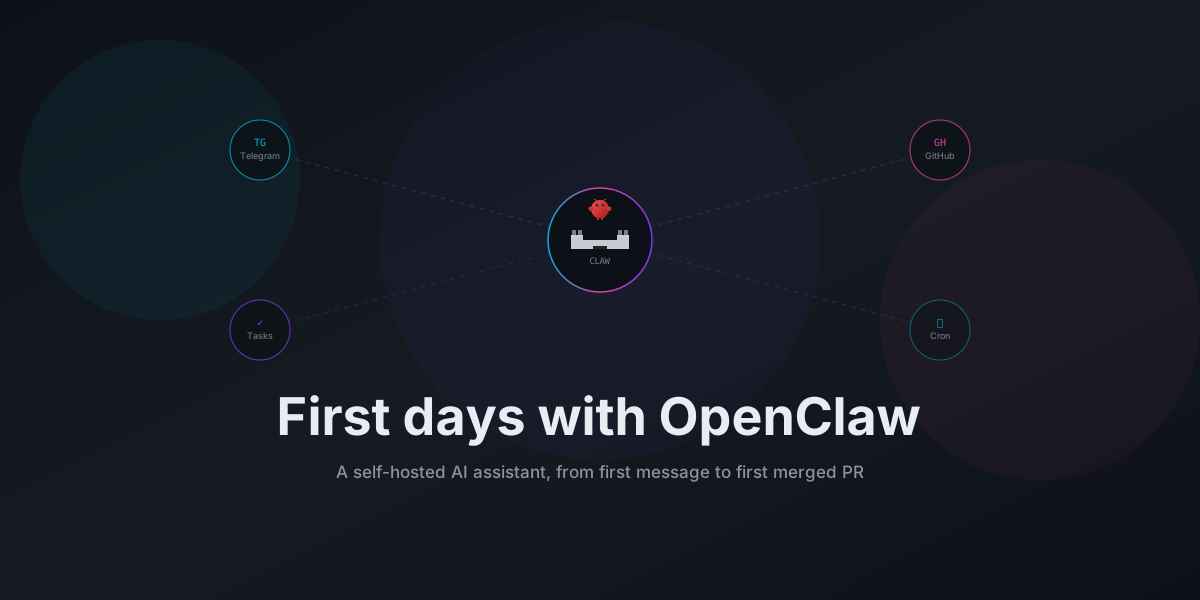
I ended up thinking of the server as a castle. Mine from the outside, Claw's home from the inside. On my side: a perimeter I control, access I decide, nothing granted without deliberate choice. On Claw's side: the place it wakes up in each session, its workspace, the environment it operates from. Same walls, two ways of thinking about them.
Blank slate
The first message I sent, after everything was installed and Telegram was wired up, was: "And now?"
I wasn't sure what I expected. What I got was: "Hey. I just came online, fresh start, blank slate, no memory of anything before this moment. So... who are you? And what should I call myself?"
An AI asking you what to name it. I told it my name was Lukas, and that it was called Claw. That was the first exchange.
Writing a soul
OpenClaw has a concept of workspace files, a
set of markdown documents the agent loads at session start. SOUL.md for operating philosophy,
IDENTITY.md for personality and relationship model, USER.md for context about the person it's
working with.
I had no idea what to put in them. I looked at what other people had written in theirs, searched for examples, read through community posts. There are templates out there, but none of them is quite how I'd want it. Obviously.
But I wanted to do this before anything else, before diving into integrations, skills, any of that. Because what I actually wanted was a digital friend. Something closer to a version of me than a generic assistant. How it should talk, when it should push back.
So that's what I wrote. Not abstract philosophy. Just: here's how I want you to be.
I saved the files, reset the session, and it worked. It had context about me, a name, a way of operating that matched what I'd written down. I didn't expect the difference to be that noticeable.
The first real delegation
GitHub surprised me. I knew OpenClaw could run shell commands, that's in the documentation. But reading about it and watching it happen are different.
I set up GitHub access, pointed Claw at one of my personal projects, and asked it to add a small automation: a workflow that checks for dependency updates and opens a PR when it finds them. A few minutes later there was a branch, a commit, an open PR, and a description explaining what changed and why.
That's when it stopped feeling like a toy. I wanted to delegate work, not ask questions about it. This was delegation. I reviewed the PR, merged it, moved on.
OpenClaw's GitHub skill handles the full loop: clone, branch, commit, push, open a PR. The policy I set is feature branches only, no direct pushes to main. Everything goes through review before it lands. Claw does the work, I decide what ships.
Telegram as the interface
The channel I connected is Telegram. Partly practical: it's always on my phone, I check it constantly, it handles media and voice without friction. But the real reason is that I wanted it with me. A tool I have to sit down at a desk to use is a different thing from one that's in my pocket.
I added voice messages in the first two days. Transcription runs locally on the server with parakeet-tdt via ONNX, no cloud, works in German and English. I can send a voice note while walking and get a real response. The model runs on CPU, file comes in as an OGG from Telegram, ffmpeg converts it to 16kHz mono WAV, and parakeet handles the rest. No API call leaves the server.
I'll be honest: it still feels slightly odd to talk to a computer this way. Not uncomfortable, just odd. Like something your brain hasn't fully categorized yet. But I'm starting to like it. The convenience wins over the weirdness, slowly.
What's actually running
Two days in, the setup is: OpenClaw on a dedicated Ubuntu VPS, running
Claude Sonnet as the underlying model, connected to Telegram,
GitHub integration via the gh CLI with feature-branch-only policy, mise
for runtime version management, and a flat ~/workzone/ directory where repos get cloned, one
folder per project.
On top of that: a task manager integration so I can check what's due, add things, shuffle priorities, all from Telegram. Voice transcription in German and English. Three cron jobs: a healthcheck at 02:00 and a morning brief at 06:30 on weekdays, 08:30 on weekends, because weekends are different.
The skills system is how OpenClaw packages reusable workflows. You can install community skills from ClawHub or write your own. That's what makes things recallable without re-explaining them every session.
Two days later
The castle is standing. The morning brief arrives on schedule. The PRs look reasonable.
What I didn't expect was how much the setup process would feel like designing a working relationship rather than configuring a tool. The identity files, the access decisions, the schedules. All of it was really just one question: what does it mean to delegate to something that can actually execute? That question gets more interesting when the thing you're delegating to has a shell.
I'm still figuring out where the edges are. But the first PR merged, the morning brief is useful, and the things I wanted to stop tracking mentally are being tracked for me.
That works.