One tap per finisher
The moment
My son is almost two. We were at a local sports ground one afternoon, he was supposed to be on his balance bike. A youth training session was happening on the track next to us. He watched the kids run for about thirty seconds and then walked toward the group like he'd been invited.
I followed him over, ended up standing next to the trainer, and watched the session for a while. The kids were doing sprints. The trainer had a stopwatch in one hand and a clipboard in the other. Every time a group finished, he'd stop the watch, squint at the display, try to remember which kid crossed in what order, and write something on the clipboard. Then reset. Then do it again.
Half the times were approximate. A few were clearly wrong. The kids didn't care, they were having fun. But the trainer looked frustrated. He was trying to do his job properly and his tools were fighting him.
I've been on the other side of that clipboard. I used to train handball at a local club. We couldn't afford dedicated sports software. The options were either enterprise-grade federation tools or pen and paper. We picked pen and paper. Most clubs do.
So I kept thinking about it on the way home. Not in a "someone should fix this" way. In a "I know exactly how to fix this" way.
One tap per finisher
When runners cross a finish line, they cross it in sequence. You don't need to identify who's finishing while they're finishing. You just need to record the split time for each arrival. Tap, tap, tap. Sort out who was who afterward.
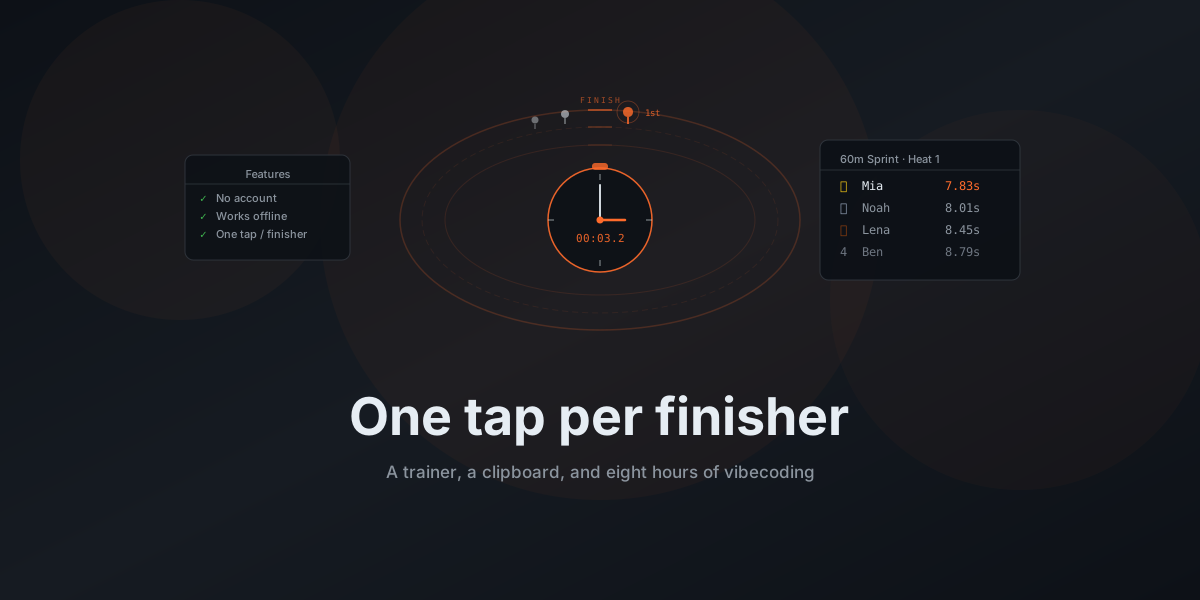
That's the whole idea. Start the stopwatch, when runners come in, tap once per finisher. Each tap captures a split. After the race, you tap each runner's name to assign their time. No clipboard needed, nothing to remember. The leaderboard is there when you're done, and the trainer can get back to coaching.
Field events are different. Jumping and throwing need distances, fouls, multiple rounds. So those get a separate input mode: enter the measurement, mark it valid or foul, move to the next attempt. Same idea though. One thing at a time, nothing else on your mind.
Why no backend
Every athletics app I looked at wanted me to create an account. Most wanted a subscription. Some wanted me to enter athlete data into a cloud system before I could time a single race.
That's not what a volunteer trainer at a Tuesday afternoon session needs. They need to start timing now, with the kids they have, and get results at the end. If they have to set up an account, enter email addresses, or explain a privacy policy to parents, the app is already more work than the clipboard it's replacing.
Trackly stores everything in localStorage. Your data lives on your device and nowhere else. Close the browser, open it again, everything's still there.
I made that a constraint on purpose. For a local training session you don't need your data on five devices. You need it on the one you're holding at the track. And you need it to work without cell reception, because half the athletics facilities I've been to have terrible signal.
Making it work offline
A timing app that needs internet is useless at a track. PWA was the obvious choice. Trackly installs to your home screen, caches everything via a service worker, and runs fully offline. Start a session in airplane mode and nothing is different.
Some facilities genuinely have no signal. The app can't depend on it.
Eight hours
The whole thing took about eight hours of actual work, spread across a few days. I used my OpenClaw instance heavily for guidance and Claude Code for the hands-on implementation. React 19, TypeScript, Vite, Tailwind v4, shadcn/ui. I picked the stack, described what I wanted, and steered.
State management is Zustand with its persist middleware, which gives you localStorage persistence
for free. Define your store, add persist(), and state survives page reloads. For an app where all
data is local, this is the entire data layer. No database, no ORM. A migrate() function handles
schema versioning so future changes don't wipe existing data.
Routing uses HashRouter because the app is on GitHub Pages. GitHub Pages serves a single
index.html and doesn't handle client-side paths. With HashRouter, all routes live after the #,
so the server never sees them. Not elegant, but correct.
Eight hours for a working app with thirty-plus disciplines, athlete profiles, leaderboards, PDF export, and offline support. I wanted to know if I could build something real this way, not just a demo.
What it does
Thirty-plus disciplines across five categories: sprints, endurance runs, jumping, throwing, and games. Each has its own input mode because each event type works differently.
Athletes get profiles with names, avatars, age groups, and gender. You can set them up before a session or add people on the fly. Age groups matter because a 10-year-old's 50-meter time and a 14-year-old's aren't the same thing, and the leaderboard filters accordingly.
There's a TV mode that formats results for a projector, for when you want standings visible to spectators. Team scoring for group games. PDF and CSV export for when you need to hand something to parents or keep a record.
German and English, because that's what I needed. The i18n setup supports other languages, but that's someone else's problem.
What surprised me
The stopwatch precision thing I misjudged. Date.now() gives you millisecond timestamps, which
sounds fine until you factor in that the gap between a runner crossing the line and your thumb
hitting glass is already 100-200ms. The app isn't the bottleneck, you are. So I stopped worrying
about the timer and focused on making the tap target large enough to hit without looking at the
screen.
The discipline catalog took longer than anything else. I started with sprints and figured I'd add more later. But if I were still at the club, running a training session with twenty kids and a sports day coming up, I'd want shot put covered. And relay. And triple jump. I kept adding disciplines until I couldn't think of one a trainer in Germany would need and not find. Thirty-plus later, I think it covers most of what youth athletics actually runs. Probably still missing something.
The avatars I didn't plan at all. But people recognize faces faster than they can read names. On a busy training day with fifteen kids you've never met, you won't remember who's who. But you'll recognize the face. Tap the avatar, assign the time, learn the name later.
What's next
Nobody outside my household has used Trackly yet. The tool exists, but I haven't put it in front of the people it's for. I want to reach out to a few local clubs and see if what I built actually matches what trainers need day to day.
Trackly is live at lukas-grigis.github.io/trackly and the source is on GitHub. MIT license.
Things I want to add eventually: export to federation formats, and a two-device mode for events where the starter and finisher are at different ends of the track.
But the core loop works. One tap per finisher.
If you coach youth athletics or help out at a local club, I'd like to hear whether this is useful. Install it, take it to the track, and tell me what's missing.